Why Vanity Dashboards Fail Contractors
Here’s a stat to chew on: 70% of construction executives believe their analytics are underutilized because they’re too focused on surface-level metrics (source). Think about it—how many dashboards have we seen that show pretty bar charts but fail to answer why a project is delayed or what to do next? A contractor’s margin isn’t saved by knowing the weather forecast; it’s saved by knowing which subcontractor is underperforming and how to fix it.
Vanity dashboards are everywhere in construction. They’re flashy, but they often focus on metrics that look good in a report rather than those that actually drive decisions. For example, seeing the total project spend to date doesn’t tell us if that spend is aligned with milestones. What we need are analytics tools that diagnose problems, predict outcomes, and recommend actions.
This is where modern construction analytics software steps in. Platforms like JobNext.ai are moving beyond dashboards, offering real-time insights that integrate directly with field and office workflows. Let’s dive into how contractors can stop relying on dashboards that are all show and no substance.
What Makes Good Construction Analytics? The Three R’s
To separate actionable analytics from noise, we use the “Three R’s” framework: Relevant, Real-Time, Reliable.
- Relevant: Does the data solve a real problem? For example, cost variance reports should tie back to specific line items and responsible teams—not just show a percentage overrun.
- Real-Time: Is the data current enough to make decisions? A report that’s 3 weeks old doesn’t help if you’re trying to course-correct a concrete pour happening tomorrow.
- Reliable: Can you trust the data? If field crews are entering hours manually into three different systems, the outcome will be garbage in, garbage out.
Consider this: One of our clients, a mid-size contractor specializing in commercial builds, reduced project delays by 18% by implementing real-time labor tracking integrated with AI-driven analytics. Instead of waiting weeks for payroll reports, they could see daily labor costs compared to budgets. The key was tying the data directly to decisions—like reallocating crews on the fly.
For contractors looking to evaluate their own tools, our guide on construction digital transformation offers a step-by-step approach.
AI-Driven Analytics: The Game Changer for Project Decisions
AI isn’t just for tech companies. It’s becoming a cornerstone of modern construction analytics. According to McKinsey, predictive analytics can reduce project delays by up to 15% and costs by 10% (source).
Here’s how AI-driven analytics for construction projects are transforming decision-making:
1. Predictive Risk Analysis
AI models analyze thousands of data points—weather forecasts, crew productivity, subcontractor performance, and historical data—to predict risks before they escalate. For instance, if a subcontractor’s productivity drops below a certain threshold, the system can flag the issue and suggest mitigation strategies, like reallocating resources or adjusting schedules.
2. Cost-to-Complete Forecasting
Traditional cost reports show past spending, but they don’t help you plan future costs. AI tools can analyze current trends in labor, materials, and equipment costs to forecast the total cost to complete. This allows project managers to take corrective actions well before overruns spiral out of control.
3. Automated Insights and Recommendations
Platforms like JobNext.ai are integrating AI to not only show you what’s wrong but also recommend actions. For example, if a project is trending over budget due to material price increases, the system might suggest switching suppliers or renegotiating contracts.
In one case, a $200M hospital project used AI-based analytics to predict a 12% cost overrun six months in advance. The project team avoided $1.5M in additional costs by renegotiating contracts and adjusting schedules.
From Data Silos to Unified Reporting: Why Integration Matters
One of the biggest challenges we see is data fragmentation. On average, contractors use 5-7 different systems for project management, accounting, scheduling, and field reporting (source).
The result? Data silos. When systems don’t talk to each other, it’s impossible to get a clear picture of project health. For example:
- Accounting systems show costs incurred but don’t tie them to specific milestones.
- Scheduling tools track timelines but don’t account for budget impacts.
- Field reporting apps provide daily logs but lack integration with project schedules.
Unified platforms like JobNext.ai solve this by consolidating data into a single source of truth. Here’s what that looks like in practice:
| System | Data Collected | Unified Insight |
|---|---|---|
| Accounting | Actual vs. budgeted costs | Real-time cost variances by phase |
| Scheduling | Project timelines | Schedule impact of delayed activities |
| Field Reporting | Daily crew productivity | Labor efficiency vs. planned benchmarks |
One of our clients, a general contractor managing $500M in annual construction volume, adopted a unified platform and reduced reporting time by 50%. Instead of spending hours reconciling spreadsheets, their teams now focus on solving problems.
Tactical Use Cases: How Analytics Solve Real Problems
Let’s make this real. Here are three common contractor challenges and how analytics can address them:
1. Challenge: Margin Erosion
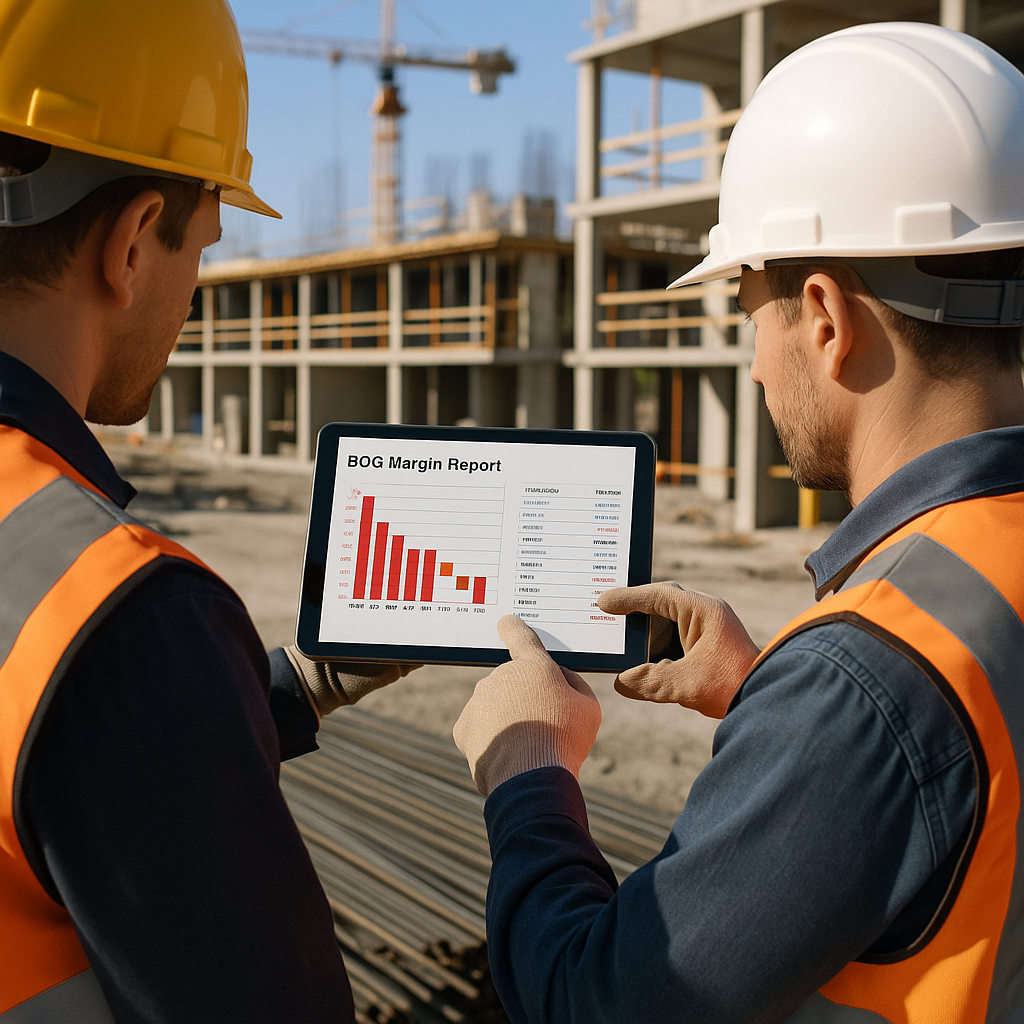
Margins in construction are razor-thin, often 3-5%. Without real-time analytics, contractors miss early warning signs of budget overruns.
- Solution: Construction project analytics reports that show real-time cost-to-complete versus budget. For example, if a concrete subcontractor is 20% over budget halfway through their scope, analytics can flag it and suggest corrective actions.
2. Challenge: Labor Inefficiencies
Labor is the largest controllable cost on most projects, yet many contractors rely on manual timesheets, which are prone to errors.
- Solution: AI-driven analytics for construction projects can integrate with mobile apps to track crew productivity in real-time. This allows project managers to identify underperforming crews and shift resources as needed.
3. Challenge: Schedule Delays
According to Dodge Data, 75% of projects finish late. The root cause is often poor visibility into schedule impacts.
- Solution: Analytics tools that integrate schedules with field data can predict delays based on current progress. For instance, if steel deliveries are late, the system can suggest resequencing activities to minimize downtime.
For more on how analytics reduce margin erosion and improve execution speed, check out our guide.
Implementing Analytics: A Step-by-Step Framework
Rolling out analytics tools isn’t about buying software and hoping for the best. It requires a deliberate approach. Here’s a framework we’ve used successfully with contractors:
Step 1: Define Your Objectives
What decisions do you want to improve? For example, reducing labor costs, preventing delays, or improving cash flow.
Step 2: Audit Your Data Sources
Identify where your data lives (e.g., accounting software, field apps, scheduling tools) and assess its quality. Garbage data equals garbage insights.
Step 3: Choose the Right Tools
Select construction reporting tools that align with your objectives. Look for platforms that offer integration, real-time reporting, and AI capabilities.
Step 4: Train Your Team
Analytics tools are only as good as the people using them. Invest in training to ensure your team knows how to interpret reports and take action.
Step 5: Measure ROI
Track key metrics like reduced delays, cost savings, and improved margins to measure the impact of your analytics tools.
For a deeper dive into implementation, check out our step-by-step ERP guide.
What to Do Next
If you’re tired of flashy dashboards that don’t move the needle, it’s time to invest in construction analytics software that drives real decisions. Start by auditing your current systems and identifying data silos. Then, explore tools like JobNext.ai that integrate AI-driven analytics directly into your workflows.
The future of construction isn’t about more data—it’s about smarter data. Let’s start making decisions that protect margins, reduce risk, and deliver projects on time. Because at the end of the day, that’s what matters.
Implementation Details: Building a Strong Foundation for Analytics Success
Implementing construction analytics software is as much about process as it is about technology. Contractors often rush to adopt tools without fully preparing their organization for the changes ahead. To maximize ROI and ensure smooth implementation, consider the following key aspects:
1. Conducting a Needs Assessment
Before diving into construction analytics software, contractors need to clearly define their pain points and objectives. Here are some questions to guide your assessment:
- What are the top three challenges your team faces (e.g., cost overruns, labor inefficiencies, schedule delays)?
- Which key performance indicators (KPIs) are most critical to your success?
- What are the current bottlenecks in your reporting workflows?
For example, a large civil contractor struggling with frequent rework identified that inconsistent field reporting was the root cause. Their needs assessment revealed that implementing AI-driven analytics for construction projects could flag discrepancies between design specs and field reports in real-time, reducing rework by 22%.
2. Integrating Systems and Data
Data integration is often the trickiest part of implementation. Contractors typically rely on multiple tools for accounting, scheduling, and field management—but these tools often operate in silos. To unlock the full potential of construction project analytics reports, you'll need to:
- Map out all data sources and their owners.
- Use APIs or middleware tools to connect systems.
- Standardize data formats to ensure compatibility.
As an example, a mid-size contractor using separate tools for payroll and scheduling integrated both systems with their analytics platform. This allowed them to correlate labor costs with schedule impacts, saving 15 hours of manual data entry each week.
3. Piloting with a Small Project
Starting small is essential to work out kinks before rolling out company-wide. Choose a pilot project that:
- Represents typical workflows and challenges.
- Has a team open to experimenting with new tools.
- Offers measurable outcomes, such as reduced delays or cost savings.
For instance, a residential builder piloted construction reporting tools on a $10M housing development. By focusing on real-time labor tracking and cost forecasting, they reduced budget overruns by 8%—providing proof of concept to expand the initiative.
4. Change Management and Training
Resistance to change is a common hurdle during implementation. To ensure adoption:
- Communicate the "why" behind the new tools, emphasizing the benefits for individual roles.
- Provide hands-on training tailored to different user groups, such as project managers, field crews, and accounting staff.
- Appoint "analytics champions" who can troubleshoot issues and advocate for the tools.
A commercial contractor found success by embedding analytics training into their onboarding process. New hires learned not only how to use the tools but also how to leverage insights for decision-making.
For more on successful implementation strategies, check out our ERP guide.
Real-World Examples: Analytics in Action
To illustrate the transformative power of construction analytics software, here are two real-world use cases:
Example 1: Reducing Change Order Impact
A $150M infrastructure project faced repeated change orders related to site conditions, leading to cascading delays. By adopting AI-driven analytics for construction projects, the contractor was able to:
- Compare planned vs. actual excavation progress daily.
- Predict the cost impact of potential change orders using historical data.
- Automate stakeholder notifications, ensuring faster approvals.
The result? The project team reduced change-order processing time by 40% and avoided $750,000 in additional costs.
Example 2: Improving Subcontractor Accountability
A general contractor managing a $50M mixed-use development struggled with underperforming subcontractors. By leveraging construction project analytics reports, they:
- Tracked subcontractor productivity in real-time via mobile apps.
- Flagged underperformance early, triggering corrective actions such as additional training or resource reallocation.
- Used historical data to adjust bid evaluations for future projects.
This approach improved overall project efficiency by 12%, allowing the contractor to finish the project three weeks ahead of schedule.
For more success stories and insights, visit JobNext.ai’s blog.
Common Pitfalls to Avoid
Even the best tools can fail if implementation is mishandled. Here are some pitfalls to watch out for:
1. Focusing on Features Over Outcomes
It’s easy to be dazzled by flashy dashboards and advanced features. However, if the software doesn’t solve your specific pain points, it’s not the right fit. Always prioritize actionable insights over aesthetics.
2. Skipping Data Validation
Poor data quality is a recipe for failure. Before rolling out analytics tools, invest time in cleaning and validating your data sources. Otherwise, you risk basing decisions on inaccurate information.
3. Underestimating the Learning Curve
Even the most intuitive tools require training and practice. Without proper onboarding, employees may revert to old habits, undermining the value of the software.
4. Ignoring Field Input
Field crews are often the primary data contributors. If they find the tools cumbersome or irrelevant, adoption will suffer. Engage field teams early and incorporate their feedback into tool selection and rollout.
Calculating ROI: Measuring the Impact of Analytics
To justify the investment in construction analytics software, contractors need to calculate ROI based on tangible benefits. Here’s a simple framework:
1. Quantify Cost Savings
Identify areas where analytics will reduce waste or improve efficiency. For example:
- Reducing rework: Calculate the average annual cost of rework and estimate the percentage reduction achievable with analytics.
- Cutting reporting time: Measure the time savings from automated reports and convert that into labor cost reductions.
2. Estimate Revenue Gains
Consider how improved project performance can lead to higher revenue:
- Faster project completion: Calculate additional projects you could take on annually by reducing delays.
- Improved client satisfaction: Factor in repeat business or referrals from delivering projects on time and within budget.
3. Account for Implementation Costs
Include all expenses, such as software licenses, integration fees, training, and ongoing support. Subtract these costs from your projected savings and revenue gains.
For example, a contractor investing $50,000 in analytics tools estimated annual cost savings of $200,000 from reduced rework and increased efficiency. This translated to a 300% ROI within the first year.
Comparison Framework: Choosing the Right Analytics Tool
With so many construction reporting tools on the market, selecting the best one can be overwhelming. Use these criteria to make an informed decision:
| Criteria | Key Questions | Why It Matters |
|---|---|---|
| Ease of Use | Is the interface user-friendly? Does it require extensive training? | Adoption depends on how intuitive the tool is. |
| Integration | Does it connect with your existing systems (e.g., accounting, scheduling, field apps)? | Integration eliminates silos and ensures seamless workflows. |
| Real-Time Reporting | Does the tool provide up-to-date insights, or are there lags? | Timely data drives better decisions. |
| AI Capabilities | Does it offer predictive analytics and automated recommendations? | Advanced features add significant value. |
| Scalability | Can the tool grow with your business? | Avoid outgrowing the software as your projects scale. |
| Vendor Support | Does the vendor provide ongoing training and troubleshooting? | Strong support ensures long-term success. |
For a deeper comparison of leading tools, explore this guide on unified platforms.
The Road Ahead: Using Analytics to Future-Proof Your Business
Construction analytics is no longer optional—it’s the key to staying competitive in an industry defined by tight margins and complex challenges. By implementing the right tools and strategies, contractors can:
- Protect their margins by identifying and addressing risks early.
- Improve collaboration between office and field teams.
- Deliver projects faster and with greater accuracy.
If you’re ready to take the next step, start by exploring platforms like JobNext.ai, which combine AI-driven insights with seamless integration. Remember, the goal isn’t just to collect more data—it’s to make smarter decisions that drive meaningful results.
Ready to see JobNext in action?
Multi-tenant SaaS ERP for construction, facilities management, and contracting — covering preconstruction, project execution, procurement, HR & payroll, equipment, finance, and 150+ analytics reports.
Get Started Free →Learn more at JobNext.ai - Construction ERP