The High-Stakes Reality of Facilities Management
Imagine this: You're responsible for 500+ assets spread across 30 locations. HVAC systems, elevators, lighting systems, vehicles—you name it. Now add compliance requirements, maintenance schedules, vendor coordination, and a shrinking budget to the mix. Sound familiar? For facilities managers, this isn’t a hypothetical scenario—it’s daily life.
The complexity of managing multi-site operations without a modern ERP system is staggering. Missed maintenance deadlines can lead to costly breakdowns. Poor visibility into asset performance can inflate operating costs by up to 30%. And fragmented systems make it nearly impossible to get an accurate picture of your portfolio's health.
But here’s the good news: The right ERP software doesn't just solve these problems—it transforms facilities management from firefighting to strategic oversight. Let’s break down how.
Why Multi-Site Facility Management Demands ERP
Multi-site facility management isn’t just about scale; it’s about coordination. When you're juggling hundreds of assets across multiple geographies, paper-based systems and spreadsheets simply can’t keep up. Even standalone Computerized Maintenance Management Systems (CMMS) fall short when you need to integrate financials, procurement, and compliance tracking.
ERP systems designed for facilities management bring these disparate functions under one roof. Here’s what that looks like in practice:
-
Unified Data: A single source of truth for all asset-related data—maintenance histories, warranties, vendor SLAs, and more.
- Example: A healthcare provider with 15 hospitals used an ERP to consolidate maintenance schedules, cutting downtime by 40%.
-
Automated Workflows: No more manual tracking of maintenance schedules. ERPs can auto-generate work orders based on predefined triggers, like equipment usage hours or compliance deadlines.
-
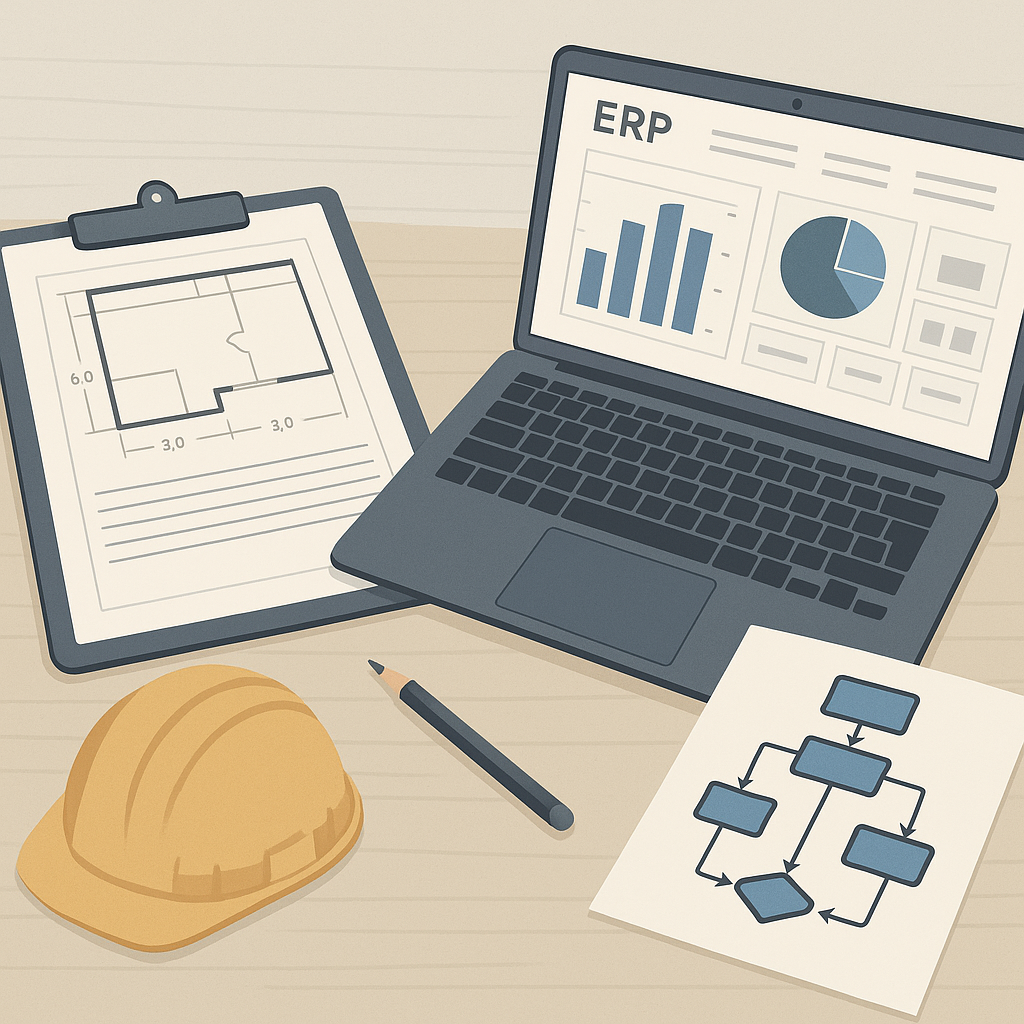
Real-Time Analytics: Dashboards that show you which assets are underperforming, where costs are spiking, and how to optimize resource allocation.
Platforms like JobNext.ai make this even easier with real-time field-to-office synchronization, ensuring that decision-makers always have up-to-date information. As we discussed in our guide to cloud ERP, real-time data is the backbone of modern facilities management.
Features to Look for in the Best ERP for Facilities Management
Not all ERPs are created equal. While general-purpose systems like SAP or Oracle are powerful, they often require heavy customization to meet facilities management needs. Instead, look for solutions designed with facilities managers in mind. Here are the must-have features:
1. Asset Lifecycle Management
Your ERP should track every asset from acquisition to disposal. This includes:
- Maintenance histories
- Depreciation schedules
- Warranty tracking
For example, TMA Systems’ WebTMA excels in this area, allowing managers to monitor the entire lifecycle of HVAC systems, elevators, and other critical assets.
2. Work Order Automation
Manual work order processes are error-prone and time-consuming. A good ERP auto-generates work orders based on triggers like:
- Preventive maintenance schedules
- Condition monitoring data
- Compliance deadlines
3. Multi-Site Coordination
Managing multiple locations requires seamless coordination. Your ERP should provide:
- A centralized dashboard for all sites
- Role-based access for local teams
- Integration with local vendors and suppliers
4. Mobile Accessibility
Field teams need mobile access to the ERP for real-time updates. Platforms like UpKeep are particularly strong in this area, offering mobile-first solutions for asset tracking and work orders.
5. Compliance Tracking
Compliance isn’t optional—it’s a legal requirement. The ERP should automate compliance reporting and flag upcoming audits or deadlines.
A 2026 report by Gartner highlights that compliance automation reduces audit preparation time by 50% on average.
The ROI of Facilities Management Software
Investing in an ERP isn’t cheap. But the ROI is undeniable when you consider the cost of inefficiency, downtime, and compliance penalties. Let’s quantify it:
Example 1: Manufacturing Facility
- Before ERP: 15% downtime due to unplanned maintenance. Annual cost: $500,000.
- After ERP: Downtime reduced to 5%. Savings: $333,000 annually.
Example 2: Healthcare Provider
- Before ERP: $1M in non-compliance fines over three years.
- After ERP: Automated compliance tracking eliminated fines entirely.
Example 3: Retail Chain
- Before ERP: Asset tracking errors leading to 10% overstocking. Annual cost: $250,000.
- After ERP: Accurate inventory reduced overstocking by 90%. Savings: $225,000 annually.
As we explored in this JobNext.ai case study, even large organizations can achieve ROI within 12 months by optimizing resource allocation and eliminating inefficiencies.
Methodology: Implementing an ERP for Multi-Site Facilities
Implementation is where most ERP projects fail. According to a McKinsey study, 70% of digital transformations don’t achieve their goals—usually due to poor planning. Here’s a step-by-step framework to get it right:
Step 1: Define Objectives
- What are your pain points? Asset tracking? Compliance? Maintenance?
- Set measurable goals, like reducing downtime by 20% or cutting maintenance costs by 15%.
Step 2: Choose the Right ERP
- Use comparison guides to evaluate options. Platforms like JobNext.ai offer tailored recommendations based on your industry and scale.
- Focus on industry-specific features rather than general ERP capabilities.
Step 3: Pilot Test
- Start with one site or one asset category to test the system’s functionality.
- Gather feedback from end-users before full-scale deployment.
Step 4: Train Your Team
- ERP adoption fails without proper training. Allocate 10-15% of your ERP budget to training initiatives.
Step 5: Monitor and Optimize
- Use the ERP’s analytics tools to track KPIs. Regularly review performance and adjust workflows as needed.
For a deeper dive into phased ERP rollouts, check out our guide to implementation strategies.
Comparing the Top ERP Solutions for Facilities Management
Here’s a quick comparison of the leading ERP platforms for facilities management in 2026:
| Platform | Best For | Key Features | Pricing (Est.) |
|---|---|---|---|
| WebTMA | Healthcare, Education | Asset lifecycle, compliance tracking | $10,000+/yr |
| UpKeep | Mobile-First Teams | Work order automation, mobile accessibility | $5,000+/yr |
| SAP S/4HANA | Large Enterprises | Multi-site management, advanced analytics | $25,000+/yr |
| NetSuite | Mid-Sized Organizations | Financial integration, vendor management | $15,000+/yr |
| Oracle CMMS | Complex Portfolios | Predictive maintenance, IoT integration | $20,000+/yr |
What to Do Next
- Evaluate Your Needs: Conduct an internal audit to identify your biggest pain points.
- Compare ERPs: Use tools like JobNext.ai to find the best ERP for your specific requirements.
- Plan Implementation: Follow a phased approach to minimize disruption and maximize ROI.
- Invest in Training: Ensure your team is equipped to fully leverage the ERP’s capabilities.
Managing 500+ assets across multiple sites is a challenge—but it’s not impossible. With the right ERP, you can turn chaos into control, inefficiency into optimization, and costs into savings. Start today, and you’ll wonder how you ever managed without it.
Real-World Implementation: How Companies Successfully Transitioned to ERP
Case Study 1: A National Retail Chain
One of the most notable examples of successful ERP implementation comes from a national retail chain managing over 800 locations. With thousands of HVAC systems, lighting controls, and refrigeration units to oversee, the company struggled with fragmented data, reactive maintenance practices, and vendor mismanagement.
Problem:
- Lack of centralized data: Maintenance histories and warranties were stored across multiple systems.
- Costly downtime: Equipment failures in high-traffic stores resulted in revenue losses of $250,000 annually.
- Vendor inefficiencies: A lack of real-time tracking made it difficult to hold vendors accountable to service-level agreements (SLAs).
Solution:
The retail chain implemented an ERP system tailored for facilities management, selecting JobNext.ai for its ability to provide real-time asset tracking and vendor coordination.
Results:
- Downtime Reduction: Equipment downtime was reduced by 60% within the first year, saving $150,000 annually.
- Streamlined Vendor Management: Vendor SLAs were automated, resulting in improved compliance and a 15% reduction in service costs.
- Centralized Data Access: Maintenance histories, warranties, and performance metrics were consolidated into a single dashboard accessible to both corporate and local teams.
Case Study 2: University Campus Facilities
A mid-sized university faced challenges managing facilities across its 12-campus system, including classrooms, dormitories, and cafeterias. The lack of a cohesive system meant that maintenance requests often went unfulfilled, and compliance checks were frequently delayed.
Problem:
- Delays in Maintenance: Reactive maintenance led to long response times, frustrating students and staff.
- Compliance Risks: Missed inspections resulted in $50,000 in fines over two years.
- Inefficient Resource Allocation: Maintenance teams often duplicated efforts due to poor coordination.
Solution:
The university opted for a cloud-based ERP platform with mobile accessibility, enabling maintenance staff to track and fulfill work orders on the go.
Results:
- Improved Response Time: Maintenance request response time dropped by 40%, improving campus satisfaction scores.
- Compliance Gains: Automated compliance tracking eliminated fines entirely.
- Resource Efficiency: Maintenance staff productivity improved by 25%, allowing the university to reduce overtime costs.
These examples show that with the right facilities management software, organizations can achieve significant operational improvements and cost savings.
Common Pitfalls in ERP Implementation
Despite the potential benefits, ERP implementations often fail due to poor planning and execution. Here are some common pitfalls and how to avoid them:
1. Underestimating Costs
Many companies focus solely on the software’s upfront cost, ignoring the hidden expenses of customization, training, and ongoing support.
How to Avoid:
- Budget for the full lifecycle cost of the ERP, including implementation and post-go-live support.
- Use tools like JobNext.ai to assess cost-effective options that still meet your requirements.
2. Lack of User Buy-In
Resistance from staff can derail even the most promising ERP projects. Employees may fear the system will make their jobs redundant or add unnecessary complexity.
How to Avoid:
- Involve end-users in the selection process to ensure the system meets their needs.
- Allocate resources to training and change management. Studies indicate that companies investing 15% of their ERP budget in training see 25% higher adoption rates.
3. Insufficient Data Migration Planning
Migrating data from legacy systems to an ERP is complex and error-prone. Poor planning can result in data loss or inaccuracies, undermining the system’s effectiveness.
How to Avoid:
- Conduct a thorough audit of existing data to identify inconsistencies.
- Use a phased migration approach, piloting the ERP in one department or location before a full rollout.
4. Ignoring Scalability
Some companies choose ERP solutions that can’t grow with their business, requiring costly upgrades or replacements within a few years.
How to Avoid:
- Opt for scalable, cloud-based solutions like those offered by JobNext.ai, which can accommodate increasing numbers of assets and users.
5. Failure to Monitor KPIs
Organizations often fail to define and track key performance indicators (KPIs), making it difficult to measure the ERP’s ROI.
How to Avoid:
- Establish KPIs at the outset, such as downtime reduction, cost savings, and compliance improvement.
- Use the ERP’s analytics features to monitor performance in real-time.
ROI Calculations: Quantifying the Value of ERP
Cost Savings from Downtime Reduction
Example: A manufacturing facility with 10% downtime reduces it to 3% after ERP implementation.
- Before ERP: Annual downtime cost = $1,000,000.
- After ERP: Annual downtime cost = $300,000.
- Savings: $700,000 annually.
Efficiency Gains from Automation
Example: A facilities team that spends 50 hours per month on manual work order processing automates 80% of the task.
- Before ERP: Annual labor cost for work orders = $36,000.
- After ERP: Annual labor cost = $7,200.
- Savings: $28,800 annually.
Compliance Cost Reduction
Example: A healthcare provider eliminates $200,000 in annual compliance fines through automated tracking.
- ROI after 1 year: Savings outweigh the ERP’s $50,000 implementation cost by 4x.
By focusing on these metrics, organizations can justify their ERP investment and ensure long-term success.
Framework for Comparing the Top ERP Solutions
When choosing the best ERP for facilities management, it’s crucial to evaluate solutions based on your specific needs. Here’s a detailed framework:
1. Features
- Asset lifecycle management
- Work order automation
- Compliance tracking
- Integration with financial systems
- Mobile accessibility
2. Scalability
- Can the ERP handle growth in assets, locations, and users?
- Does it offer cloud-based solutions for flexibility?
3. Ease of Use
- Is the interface intuitive for both corporate and field teams?
- Are training resources readily available?
4. Vendor Support
- What level of support does the vendor offer post-implementation?
- Are updates and enhancements included in the pricing?
5. Cost
- Upfront costs vs. long-term ROI.
- Are there hidden fees for customization or maintenance?
For a detailed comparison, visit JobNext.ai, which provides tailored recommendations and side-by-side analyses of leading ERP platforms.
The Future of Facilities Management Software
The ERP landscape is evolving rapidly, driven by advancements in AI, IoT, and predictive analytics. Here’s what the future holds:
1. AI-Driven Maintenance
AI algorithms will predict equipment failures before they occur, enabling truly proactive maintenance.
2. IoT Integration
IoT sensors will provide real-time data on asset performance, feeding directly into ERP dashboards for instant insights.
3. Sustainability Metrics
Future ERP systems will include modules for tracking carbon footprints and energy efficiency, aligning with ESG goals.
4. Digital Twins
Digital twin technology will allow facilities managers to simulate maintenance scenarios and optimize workflows.
By staying ahead of these trends, facilities managers can ensure their operations remain efficient and future-proof.
Investing in the right ERP isn’t just about software—it’s about transforming your entire approach to facilities management. With tools like JobNext.ai, you can make data-driven decisions, optimize resources, and achieve measurable ROI. Start your journey today and unlock the future of multi-site facility management.
Ready to see JobNext in action?
Multi-tenant SaaS ERP for construction, facilities management, and contracting — covering preconstruction, project execution, procurement, HR & payroll, equipment, finance, and 150+ analytics reports.
Get Started Free →Learn more at JobNext.ai - Construction ERP