Why Choosing the Right Construction ERP Matters in 2026
Let’s start with a tough stat: 63% of contractors report shrinking margins due to outdated processes and disconnected systems (McKinsey). If you’re still managing projects with spreadsheets and juggling 5+ software tools, you’re likely bleeding cash and missing opportunities to grow.
The right construction ERP isn’t just another piece of tech. It’s your command center—connecting your field teams, project managers, and back office in real-time. But here’s the problem: the ERP market is a minefield. With over 50 platforms claiming to be “the best,” how do you cut through the noise?
In this guide, we’ll lay out a practical decision framework for contractors. Whether you’re a $10M specialty subcontractor or a $1B general contractor, you’ll learn how to compare systems, prioritize features, and avoid costly mistakes.
The Must-Have Features for Construction ERPs in 2026
Not all ERPs are built with contractors in mind. Here’s a sobering fact: nearly 30% of ERP implementations fail because the system wasn’t designed for the industry’s unique needs (CIOB). To get it right, focus on these must-have features:
1. Unified Project and Financial Visibility
You can’t manage what you can’t see. At any given moment, you should know exactly where your projects stand—financially and operationally. Look for platforms that integrate project management, job costing, and accounting into a single dashboard. For example, JobNext.ai offers real-time insights that help contractors spot margin erosion before it’s too late.
Real-Life Example:
One contractor we worked with was losing $250K annually due to change orders slipping through the cracks. After implementing a unified ERP, they reduced unbilled change orders by 80% in the first year.
2. Field-to-Office Connectivity
The days of field teams operating in silos are over. Your ERP must bridge the gap between the site and the office with mobile apps that work offline. Platforms like JobNext.ai shine here, enabling superintendents to upload photos, RFIs, and daily reports directly from the field.
3. Compliance and Multi-State Complexity
If you’re working across multiple states, you know the nightmare of managing different tax codes, labor laws, and certifications. ERPs like Sage Intacct and Viewpoint Vista excel at handling complex compliance requirements.
4. Change Order Control
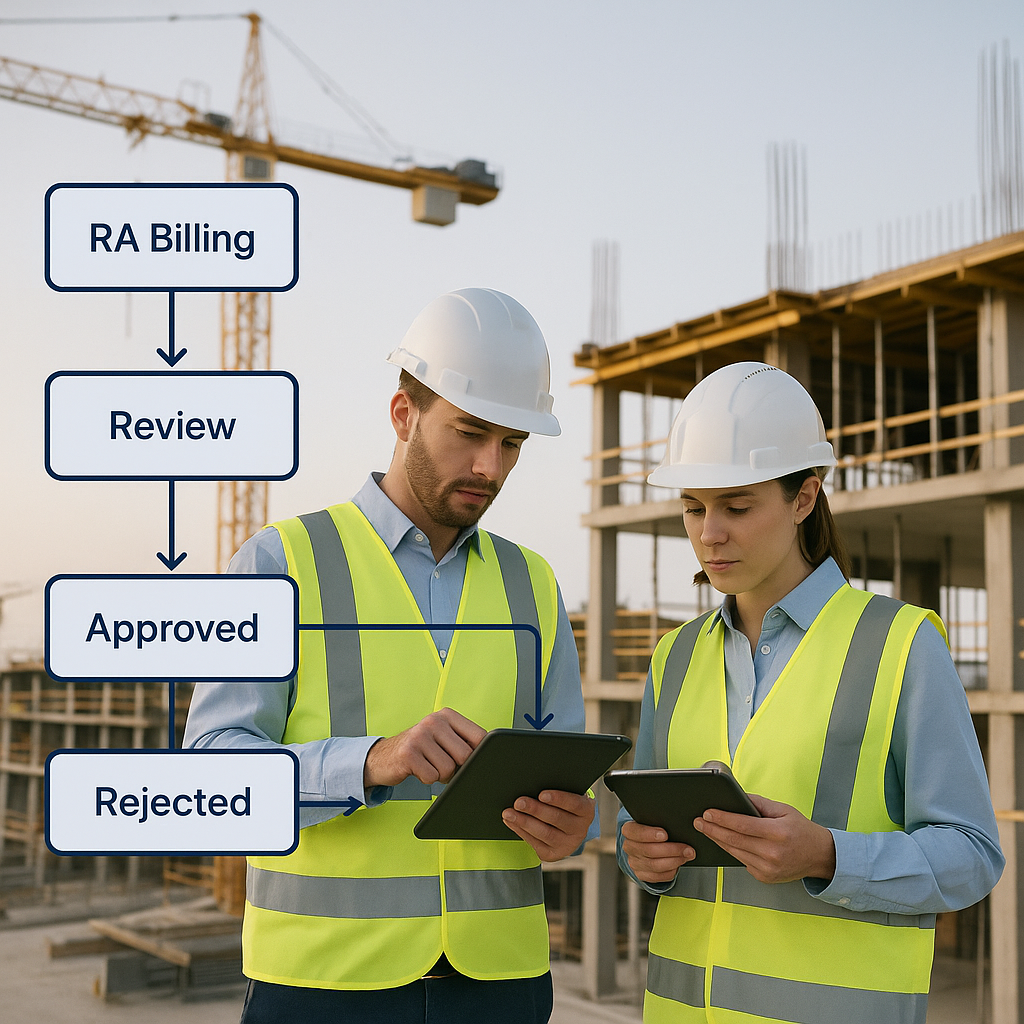
Change orders are the #1 source of disputes in construction. A good ERP will track, approve, and document change orders seamlessly. This isn’t just about avoiding arguments—it’s about protecting your margins.
Step-By-Step Decision Framework for Contractors
Here’s the decision framework we’ve used with dozens of contractors to choose the right ERP:
Step 1: Assess Your Current Pain Points
Start by auditing your existing systems. Where are you losing time, money, or visibility? Common red flags include:
- Manual data entry between accounting and project management tools.
- Frequent miscommunication between field and office teams.
- Poor job cost tracking that results in surprise losses.
- Compliance headaches.
Step 2: Define Your Priorities
Rank your must-haves. For example, if multi-entity accounting is critical, prioritize ERPs like Sage 300 Construction and Real Estate (CRE). If field-to-office connectivity is your top concern, explore platforms like JobNext.ai.
Step 3: Shortlist Vendors
Based on your priorities, build a shortlist of 3-5 vendors. Use comparison tools like this Forbes guide or explore job-specific recommendations like Acumatica, CMiC, and Deltek ComputerEase.
Step 4: Test with Your Team
Never buy an ERP without piloting it. Involve your project managers, accountants, and field leaders. Make sure the system is intuitive and fits your workflows.
Step 5: Calculate Total Cost of Ownership (TCO)
Don’t just look at licensing fees. Factor in implementation, customization, training, and ongoing support. A recent Deloitte study found that hidden costs can inflate ERP budgets by 30%.
Construction ERP Comparison: Top Systems for 2026
Here’s a quick comparison of 5 leading construction ERPs:
| ERP System | Strengths | Ideal For |
|---|---|---|
| Acumatica Construction | Cloud-based, great for SMBs | Specialty contractors |
| Sage 300 CRE | Strong multi-entity accounting | Mid-to-large GCs |
| Viewpoint Vista | Field-to-office connectivity | Mid-size contractors |
| CMiC | All-in-one solution, scalable | Enterprise contractors |
| JobNext.ai | Unified platform, AI-ready | Contractors of all sizes |
Common ERP Implementation Pitfalls (and How to Avoid Them)
ERP implementation is where contractors often fumble. Here are three common mistakes and how to steer clear:
Mistake 1: Skipping the Discovery Phase
Too many contractors rush into implementation without fully understanding their workflows. Spend 4-6 weeks on discovery to map out your processes and identify gaps.
Mistake 2: Underestimating Training Needs
Your team’s adoption will make or break the ERP. Allocate 10-15% of your ERP budget to training and change management.
Mistake 3: Choosing the Wrong Partner
Your implementation partner is as important as the software itself. Look for partners with proven experience in construction, not just generic IT consultants.
What’s Next?
Choosing the right ERP is a game-changer, but it’s only the first step. To make the most of your investment:
- Build an internal champion team to oversee implementation.
- Regularly audit your ERP usage to spot underutilized features.
- Stay updated on ERP trends—AI, predictive analytics, and IoT integrations will reshape the market by 2028.
For a deeper dive, check out our guide to cloud ERP or explore how JobNext.ai can simplify your ERP journey.
Advanced Implementation Strategies for Construction ERPs
Implementing a construction ERP system isn’t just about installing software — it’s about transforming how your business operates. For contractors, ERP implementation requires meticulous planning, cross-departmental collaboration, and precise execution to ensure that the software delivers measurable results. Below, we outline advanced strategies to navigate implementation challenges effectively.
1. Conduct a Comprehensive Workflow Audit
Before embarking on your ERP journey, it’s crucial to understand your current workflows. Map out every process, from bid management and procurement to payroll and compliance reporting. This audit will help you identify bottlenecks and inefficiencies that the ERP system needs to address. For example, if your project managers are spending 20% of their time reconciling change orders with accounting, this is a clear area where automation can save time and reduce errors.
Real-World Example:
A specialty contractor in Texas discovered during their audit that 40% of their team’s time was spent manually entering data between disconnected systems. After implementing an ERP platform with integrated job costing and accounting, they reduced data-entry hours by 75%, freeing up resources for higher-value tasks.
2. Involve Stakeholders Early
ERP implementation impacts everyone in your organization—from field workers to executives. Involve key stakeholders early in the process to secure buy-in and ensure the system aligns with their needs. Create cross-functional teams to oversee the project, including representatives from operations, accounting, project management, and IT.
Tip:
Use workshops and focus groups during the discovery phase to gather feedback on essential features. Platforms like JobNext.ai offer demo environments where teams can test-drive workflows before full implementation.
3. Pilot the System Before Full Deployment
A pilot phase is essential for identifying potential issues and ensuring the system integrates smoothly with your workflows. Choose a small, manageable project as your pilot and monitor its progress closely. Use this time to refine configurations, test integrations, and train your team.
Example:
A $50M general contractor piloted their ERP on a single project valued at $2M. During the pilot, they identified gaps in their change order approval process and adjusted the system accordingly. When rolled out company-wide, the ERP reduced disputes by 60% within six months.
4. Data Migration and Cleanup
Migrating data from old systems to your new ERP can be a daunting task. Clean up your data beforehand by eliminating duplicates, correcting inaccuracies, and standardizing formats. Use automated tools to simplify the migration process and ensure data integrity.
Case Study:
One contractor used JobNext.ai to streamline their data migration process. By leveraging AI-powered tools, they reduced migration time by 50% and ensured that all historical project data was accessible in the new system.
ROI Calculations: How to Measure ERP Success
Investing in an ERP system is a significant financial commitment, but the right implementation can yield substantial ROI. To justify the investment, contractors need to measure both direct and indirect benefits over time.
Key Metrics to Track
1. Reduction in Overhead Costs
One of the most visible benefits of a construction ERP is cost savings. By automating tasks like payroll, invoicing, and compliance reporting, contractors can significantly reduce overhead.
Example:
A contractor reduced payroll processing time from 15 hours to 3 hours per week using ERP automation. At an average labor rate of $40/hour, this equates to annual savings of $24,960.
2. Improved Project Margins
Better job costing, change order tracking, and real-time visibility can help contractors protect their margins.
Data Point:
According to a study by McKinsey, contractors using modern ERP systems report a 12% average improvement in project margins within the first year of implementation.
3. Time Savings Across Departments
Quantify the hours saved by eliminating manual workflows and consolidating software tools.
Example:
A $100M general contractor reduced meeting times between field and office teams by 50% thanks to mobile connectivity features in their ERP.
4. Reduced Disputes and Claims
Streamlined change order management and real-time documentation can cut down on disputes with clients and subcontractors.
Case Study:
A contractor using JobNext.ai documented every change order electronically, reducing disputes by 40% and saving an estimated $300K in legal fees annually.
Advanced Comparison Framework for Construction ERPs
When choosing an ERP system, contractors need to go beyond basic feature lists. Here’s an advanced comparison framework that considers cost, scalability, and industry-specific capabilities.
1. Scalability and Future-Proofing
Your ERP should grow with your business. Look for platforms that offer modular features, allowing you to add capabilities as needed. For instance, JobNext.ai is built with AI-ready architecture, making it future-proof as predictive analytics and IoT integrations become standard.
Example:
A specialty contractor expanded from $20M to $80M in annual revenue using an ERP that scaled seamlessly with their growth.
2. Industry-Specific Integrations
Generic ERP systems often lack the integrations contractors need. Ensure your ERP supports construction-specific tools like Procore, Bluebeam, and PlanGrid.
Data Point:
A survey by CIOB found that contractors using ERPs with construction-specific integrations reduce workflow inefficiencies by 30%.
3. Vendor Support and Training
Evaluate the level of support offered by each vendor. Do they provide industry-specific training? Are support teams available 24/7?
Tip:
JobNext.ai offers tailored training programs to ensure contractors maximize system adoption post-implementation.
Common ERP Implementation Pitfalls Revisited
While the original article covered frequent mistakes, let’s dive deeper into overlooked challenges that can derail ERP success.
1. Ignoring Post-Implementation Optimization
Your ERP journey doesn’t end at deployment. Regular audits and updates are critical to ensure the system adapts to evolving business needs.
Real-World Example:
A contractor failed to optimize their ERP after implementation, leading to underutilized features. After a comprehensive review, they began using predictive analytics to forecast labor shortages, saving $100K annually.
2. Poor Vendor Selection
Choosing the wrong vendor can result in wasted time and money. Look for vendors with proven experience in construction and a deep understanding of industry workflows.
Case Study:
A contractor initially chose a generic ERP vendor, only to switch to JobNext.ai after struggling with limited construction-specific functionality. The switch resulted in smoother workflows and a 20% increase in productivity.
3. Over-Customization
Customizing your ERP excessively can lead to higher costs and maintenance headaches. Focus on platforms that offer robust out-of-the-box functionality, minimizing the need for customization.
Example:
A contractor spent $200K on customizations for their ERP, only to find that built-in features from JobNext.ai could achieve the same result at no extra cost.
Conclusion: Making the Leap
Adopting a construction ERP system is a transformative decision that can propel your business into the future. By focusing on implementation strategies, ROI metrics, and advanced comparison frameworks, contractors can maximize their investment and drive long-term success.
For a deeper exploration of ERP solutions tailored to the construction industry, visit JobNext.ai. Their unified platform, mobile connectivity, and AI capabilities make them a top contender for contractors seeking to improve workflows and protect margins in 2026 and beyond.
Ready to see JobNext in action?
Multi-tenant SaaS ERP for construction, facilities management, and contracting — covering preconstruction, project execution, procurement, HR & payroll, equipment, finance, and 150+ analytics reports.
Get Started Free →Learn more at JobNext.ai