



How to Use CPWD DSR for BOQ Preparation: Practical Steps
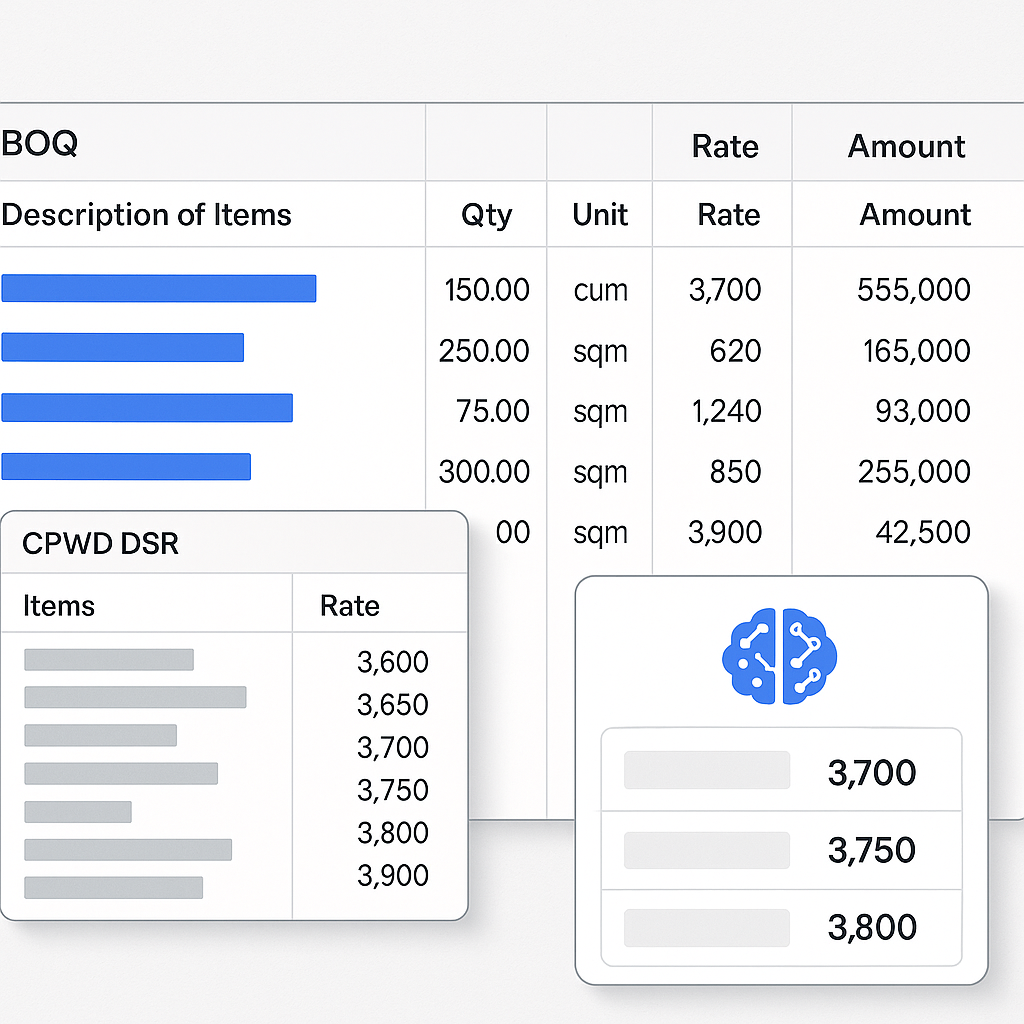
Why CPWD DSR Matters for BOQs
If you've worked on public projects in India, you've likely encountered the CPWD DSR (Delhi Schedule of Rates). It's a foundational document for government tendering, outlining standardized rates for construction activities. With 19 catalogs and over 78,000 items, the CPWD DSR ensures uniformity and transparency in public procurement. But navigating this massive document can be daunting and time-intensive, especially for bid preparation.
Why Is the CPWD DSR Important?
The CPWD DSR is more than just a list of rates. It standardizes costs across the country for public projects, leveling the playing field for contractors and ensuring fair pricing for the government. However, it comes with its share of challenges:
- Complexity: With thousands of items across multiple categories, finding the right rate for each Bill of Quantities (BOQ) item can take hours.
- Inflation Adjustments: Rates need to be updated based on the Cost Index Circulars issued by CPWD, adding another layer of complexity.
- Compliance Risks: Incorrectly matched or outdated rates can disqualify your bid.
In short, while the CPWD DSR is indispensable, working with it manually is cumbersome. The solution? Streamlining the process without sacrificing accuracy.
Step-by-Step Guide to CPWD DSR BOQ Preparation
The key to efficient BOQ preparation lies in following a structured approach. Here’s a detailed step-by-step guide:
Step 1: Clean Your BOQ Data
Start with your BOQ file, whether it’s in Excel, CSV, or ODS format. Cleaning the data is crucial to avoid errors later. Remove merged cells, unnecessary hierarchies, and section headers that could interfere with rate matching.
Actionable Steps:
- Unmerge Cells: Ensure each cell contains only one value (e.g., item description, quantity, or unit).
- Remove Non-Essential Rows: Headers or notes in the middle of the BOQ can confuse automated tools.
- Standardize Units: Ensure all units (e.g., cubic meters, kilograms) align with CPWD DSR standards.
Tools to Use:
- Spreadsheet software like Microsoft Excel or Google Sheets can handle basic cleaning.
- Advanced tools like EstimateNext automate this process with their Smart BOQ Parser, detecting and fixing formatting issues.
Pro Tip: Avoid manual formatting whenever possible. Automation tools not only save time but also minimize human error.
Step 2: Match BOQ Items to CPWD DSR Rates
This step involves linking your BOQ items to the relevant CPWD DSR rates. Given the vast number of items in the DSR, manual matching is both time-consuming and error-prone.
Challenges:
- The CPWD DSR categorizes items into multiple sections, making it difficult to locate specific rates.
- Descriptions in your BOQ may not exactly match DSR terminology.
How to Overcome These Challenges:
- Semantic Search: Use tools like EstimateNext that allow you to search across the DSR using AI-powered semantic matching.
- Custom Catalogs: Create a library of frequently used items and their corresponding DSR rates to speed up future projects.
- Tenant History: If you work on recurring projects, some tools can remember your previous matches and suggest them automatically.
Example: If your BOQ includes RCC M25 Concrete but doesn’t specify the exact rate, a tool like EstimateNext can match it to the appropriate entry in the “Concrete Works” section, saving hours of manual searching.
Step 3: Apply Inflation Adjustments
CPWD issues Cost Index Circulars to account for inflation, usually as a percentage uplift on the base rates. Applying these adjustments manually can be tedious, especially for large BOQs.
Actionable Steps:
- Find the Latest Circular: CPWD publishes these on their website, but they can be hard to locate.
- Calculate Adjustments: Multiply the base rate by the inflation percentage for each item.
- Automate the Process: Use software that integrates Cost Index updates and applies them automatically.
| Item | Base Rate | Inflation Adjustment | Final Rate |
|---|---|---|---|
| RCC M25 Concrete | ₹5,500/m³ | +7.5% | ₹5,912/m³ |
| Plastering (12mm thick) | ₹120/m² | +7.5% | ₹129/m² |
Pro Tip: Automating inflation updates not only saves time but ensures you're always using the latest rates, reducing compliance risks.
Step 4: Perform Rate Analysis
Rate analysis involves breaking down the cost of each BOQ item into its components: materials, labor, and equipment. This step ensures your bid is both competitive and compliant.
Key Steps in Rate Analysis:
- Material Costs: Break down the quantity and cost of raw materials (e.g., cement, aggregates).
- Labor Costs: Refer to CPWD’s labor schedules for standard labor rates.
- Equipment Costs: Include usage costs for machinery, adjusted for utilization rates.
Why This Matters:
- Detailed rate analysis documents provide transparency, making your bid more credible.
- It creates an audit trail that can resolve disputes during project execution.
Step 5: Standardize Outputs
Government clients expect BOQs in specific formats that comply with CPWD DSR standards. Non-compliance can lead to bid rejection.
Actionable Steps:
- Summary Sheets: Provide a high-level cost breakdown by category (e.g., civil works, electrical works).
- Detailed Sheets: Include line-by-line rates and quantities for every item.
- Audit Trails: Document the source of each rate and any adjustments made.
Tools like EstimateNext offer one-click exports to CPWD DSR-compliant formats, saving significant time.
Common Mistakes When Using CPWD DSR
- Skipping Inflation Adjustments: Using outdated rates can make your bid non-compliant.
- Incorrect Item Matching: Misclassifying BOQ items can lead to cost discrepancies and bid rejection.
- Ignoring Documentation: Without proper audit trails, disputes over rates are harder to resolve.
FAQ
Q1: How do I find the latest CPWD Cost Index circulars? A: CPWD circulars are typically available on their official website. However, tools like EstimateNext integrate these updates automatically, eliminating the need to search manually.
Q2: Can I use the CPWD DSR for private projects? A: Yes, but you’ll need to adjust the rates to reflect market conditions, as private projects often have different cost dynamics. Rate analysis tools can help you make these adjustments.
Q3: What’s the difference between CPWD DSR and state PWD SORs? A: CPWD DSR is a national standard, while State PWD SORs (Schedule of Rates) are localized to specific states. Always ensure you’re using the correct catalog for your project’s location.
Q4: How can I automate BOQ preparation? A: Use software like EstimateNext that offers features like BOQ parsing, rate matching, and inflation adjustments. Automation tools reduce errors and save significant time.
Q5: What happens if I use incorrect DSR rates in my bid? A: Using incorrect or outdated rates can lead to bid disqualification or financial losses during project execution due to cost underestimation.
Ready to Save Time on CPWD DSR BOQs?
Navigating the CPWD DSR doesn’t have to be a manual, time-consuming process. Tools like EstimateNext simplify every step, from BOQ parsing to inflation adjustments, ensuring accuracy and compliance. Get started free →
Learn more at JobNext.ai - Construction ERP
Put this into a real BOQ
Describe your project and get a complete, costed Bill of Quantities in about a minute — free to start.