



Why I Was Wrong About Manual Construction Estimation
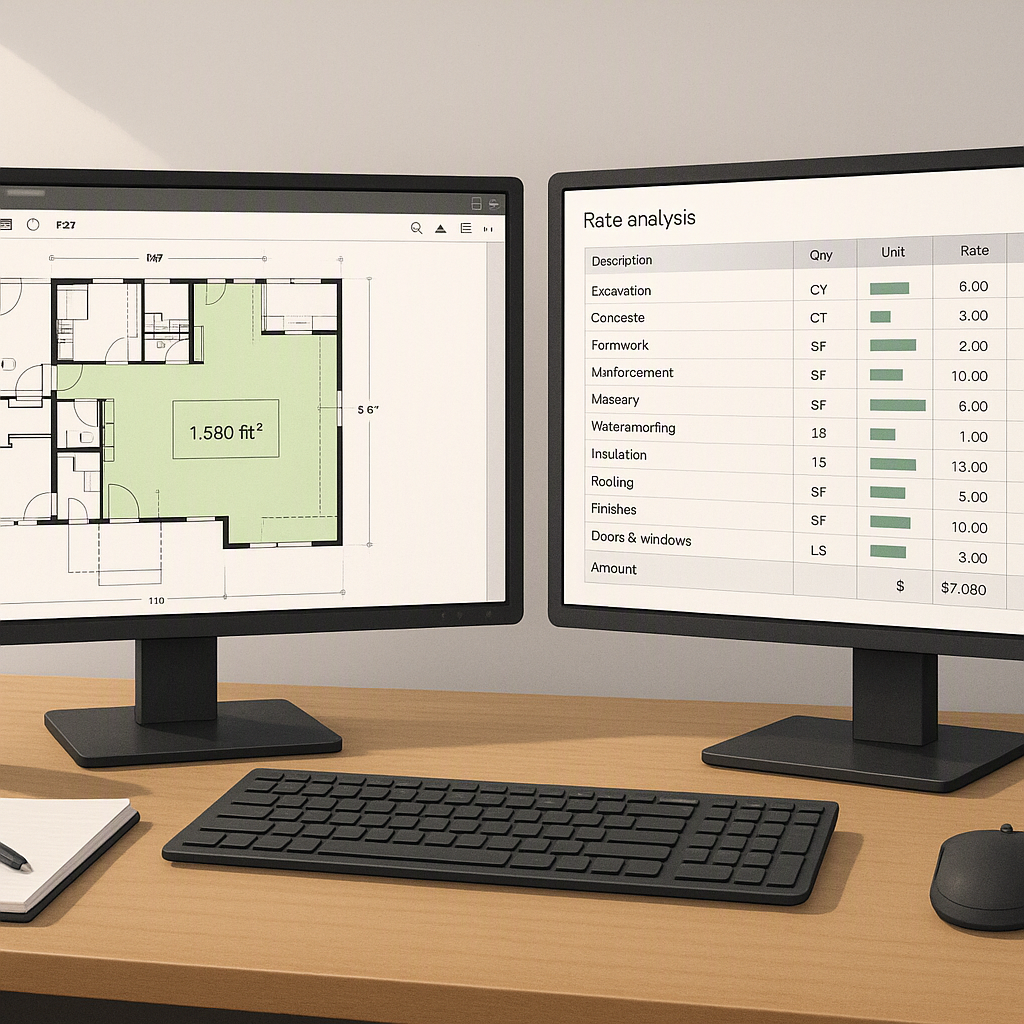
The Belief I Used to Hold
I used to think manual construction estimation was the only reliable way to handle preconstruction. Sure, tools like Bluebeam and Excel helped speed things up, but at the end of the day, the estimator's experience was irreplaceable. How could software—or worse, AI—possibly understand the nuances of labor rates, vendor quirks, or material fluctuations? You needed to know the market, the project type, and sometimes even the specific client to get it right. Automation? It felt like a gimmick for small jobs or firms that didn’t care about quality.
This belief wasn’t just dogma—it was based on years of hands-on experience. I’d seen countless junior estimators fumble bids because they relied too heavily on software outputs without questioning the data. Manual methods gave me control and confidence. I could audit every line item, catch duplicate costs at a glance, and make judgment calls that no machine could replicate. For me, spreadsheets and manual takeoffs weren’t just tools; they were tradecraft.
What Changed My Mind
That belief held up until early 2026, when I saw a demo of EstimateNext Vision AI at a trade show in Dubai. The presenter uploaded a PDF of a 20-page BOQ (Bill of Quantities) for a mixed-use development. In under 10 minutes, the tool generated quantities, matched rates against a GCC-specific catalog, and even flagged missing line items. It wasn’t perfect—there were a few errors in the plumbing section—but the presenter fixed them in seconds with manual overrides.
Then came the kicker: the same demo showed a bid analysis feature comparing five subcontractor quotes, normalizing scope discrepancies, and ranking them by cost. What would’ve taken me or my team six hours in Excel happened in half an hour. And it wasn’t just faster—it was structured, auditable, and actionable. Watching that demo was like seeing a better version of myself work at ten times the speed.
But what really convinced me wasn’t just the speed. It was the accuracy and the ability to produce a structured output that anyone on my team could review and validate. Suddenly, estimation didn’t feel like a personal skill tied to my years of experience—it felt like a scalable process that a team could refine together.
Why I Clung to the Old Way
To be fair, manual estimation has some strengths. It’s tactile. You can see, touch, and adjust every number. You can spot an anomaly—a wrong unit rate or a duplicate line item—just by glancing at the sheet. And you develop a gut instinct over years of doing it by hand. I’ve seen junior estimators misprice bids because they trusted formulas without questioning the inputs. Experience matters.
But the more I thought about it, the more I realized that my attachment to manual methods wasn’t about accuracy. It was about control. I didn’t trust a machine to make decisions that I’d spent years learning to make. I also didn’t trust how much time automation would save—what if I spent half the saved hours fixing its mistakes? And honestly, I didn’t want to admit that my way might be inefficient.
It’s worth noting that this mindset isn’t unique to me. Many seasoned professionals resist automation because it feels like an affront to their expertise. But holding onto outdated methods can blind us to tools that amplify—not replace—our skills.
What I Do Differently Now
Since that trade show, I’ve experimented with AI estimation tools like EstimateNext. Here’s what’s changed and how I’ve adapted my workflow:
1. Takeoffs Are Delegated
I don’t waste 40 hours tracing PDFs anymore. Vision AI handles 90% of the work, and my team reviews the output for errors. This has cut takeoff time from two days to two hours. Here’s how the process works:
- Upload Plans: I upload PDFs or CAD files directly into the tool.
- AI Takeoff: The software identifies walls, slabs, piping, and other elements automatically.
- Review and Adjust: My team reviews flagged items and adjusts quantities as needed.
Automation doesn’t eliminate oversight—it reduces the grunt work so we can focus on quality control instead.
2. Rate Matching Is Smarter
Instead of flipping through a CPWD DSR catalog or a GCC vendor PDF, I rely on AI-powered semantic search. It finds matches in seconds, even for complex items like custom finishes or imported materials. Here’s a practical breakdown:
- Manual: Searching for a specific rate in a 1,200-page catalog could take 15–20 minutes.
- AI-Powered: Typing a description (e.g., “custom Italian marble flooring”) into the tool yields results in under 10 seconds.
Not only is this faster, but it also ensures we’re working with the most accurate and up-to-date rates available.
3. Bids Are Structured
Sub bid leveling is a nightmare in Excel. Now, I use AI tools to normalize quotes automatically and focus on negotiating with vendors instead of cleaning up spreadsheets. For example:
- The AI identifies scope discrepancies (e.g., missing insulation in one bid).
- It adjusts the bids to a common baseline.
- I receive a ranked list of subcontractors based on cost and compliance.
This structured approach eliminates the risk of overlooking critical scope gaps.
4. Decisions Are Data-Driven
The go/no-go evaluator in EstimateNext forces me to evaluate tenders against a 26-point rubric. It’s not gut feel anymore—it’s structured, repeatable, and defensible. Some of the key criteria include:
- Project profitability.
- Alignment with company resources.
- Risk exposure.
This has fundamentally changed how I approach bid decisions. Instead of relying on intuition, I can justify choices with data.
What It Cost Me
Switching to AI tools hasn’t been painless. Here are some challenges I’ve faced:
- Training: My team needed two weeks of training to learn the software. During this period, productivity dipped as we adjusted to the new workflow.
- Tweaking Output: The first few projects were frustrating. The AI didn’t understand our regional preferences, and we spent significant time fine-tuning results.
- Letting Go of Control: I had to accept that I wouldn’t touch every line item myself. This was a mental hurdle more than anything else.
- Ongoing Oversight: While AI reduces errors, it doesn’t eliminate them. I still double-check outputs, especially for complex projects.
Despite these challenges, the benefits far outweigh the costs. My team is more efficient, and we can handle more bids without sacrificing quality.
Comparison Table: Manual vs. AI Estimation
| Aspect | Manual Estimation | AI-Powered Estimation |
|---|---|---|
| Speed | Slow (40+ hours/project) | Fast (2–4 hours/project) |
| Accuracy | Dependent on experience | Consistently high with checks |
| Scalability | Limited to estimator's time | Scalable across teams |
| Cost Efficiency | Labor-intensive, costly | High ROI with subscription |
| Learning Curve | Years of experience required | 2 weeks for basic proficiency |
Closing Thoughts
If you're still relying on manual estimation, you're wasting time—and money. AI tools like EstimateNext don’t replace your expertise; they amplify it. By automating repetitive tasks and structuring outputs, these platforms free you to focus on what really matters: strategy, client relationships, and winning bids. Try it yourself and see the difference. Get started free →
Learn more at JobNext.ai - Construction ERP
Put this into a real BOQ
Describe your project and get a complete, costed Bill of Quantities in about a minute — free to start.