



What Is a BOQ? Practical Insights for Faster, AI-Powered Estimation
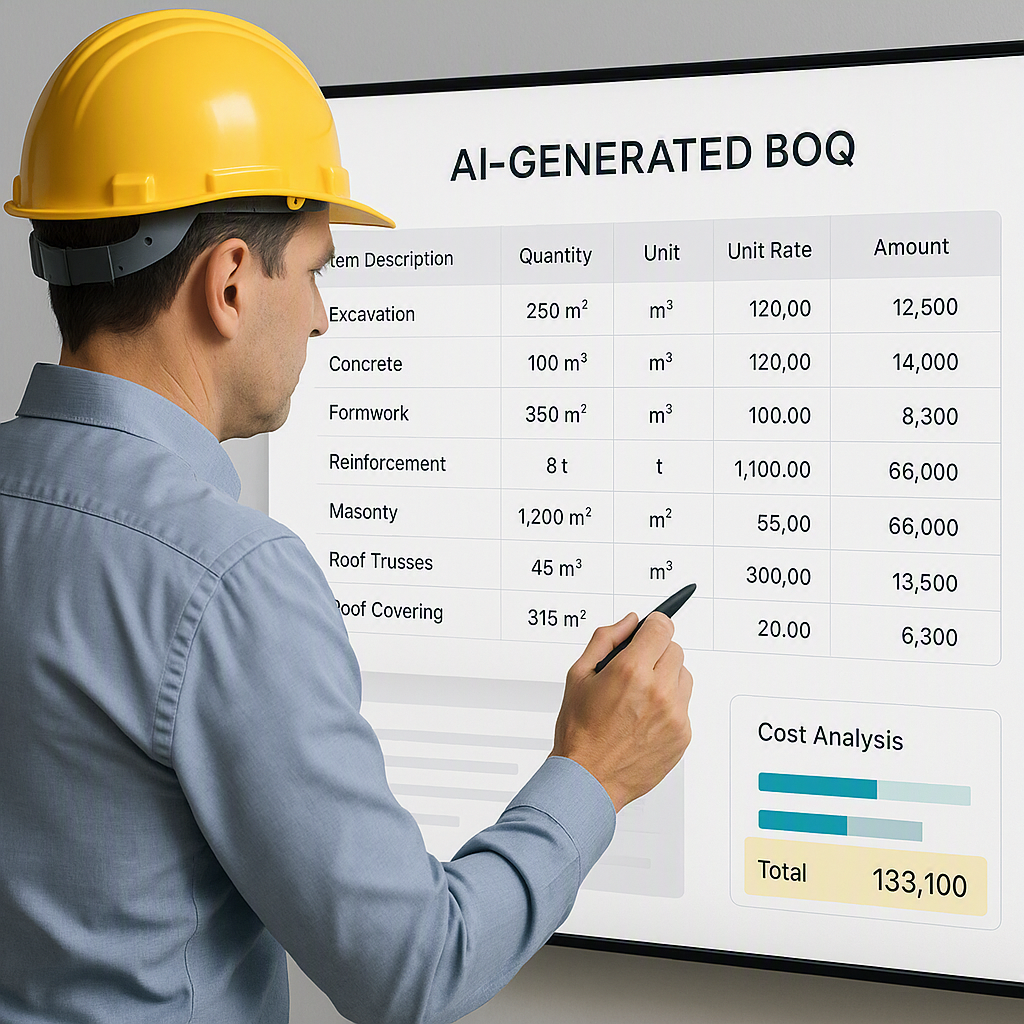
The Problem with Traditional BOQs
Let’s face it—creating a Bill of Quantities (BOQ) manually is a pain. If you’ve spent hours flipping through 2,000-page PDFs or juggling Excel sheets, you know exactly what I mean. It’s tedious, error-prone, and worst of all, time-consuming. A single typo can derail an entire project, skewing your cost estimates and eating into your margins.
But here’s the kicker: BOQs are supposed to make your job easier. They’re meant to be the backbone of your cost estimation process, giving you a clear, itemized breakdown of all the materials, labor, and equipment needed for a project. So why do they often feel like a bottleneck?
The truth is, traditional BOQs are broken. They’re static, inflexible, and leave no room for error. And in an industry where margins are razor-thin, you simply can’t afford inefficiency. Not anymore.
What Is a BOQ, Anyway?
At its core, a BOQ is a detailed document that lists all the materials, labor, and services required for a construction project. It’s broken down into sections like excavation, concreting, plumbing, electrical, and more. Each section includes quantities, unit rates, and total costs.
Think of it as a recipe for your project. Only instead of listing ingredients, you’re listing quantities of cement, steel, tiles, and labor hours. And instead of baking a cake, you’re constructing a building.
How BOQs Are Structured
A typical BOQ contains the following:
- Item Description: A clear description of the task or material (e.g., "Reinforced concrete for foundation").
- Quantity: The number of units required (e.g., cubic meters, kilograms).
- Unit Rate: The cost per unit (e.g., per cubic meter).
- Total Cost: The result of multiplying quantity by unit rate.
- Notes: Any special instructions or remarks related to the item.
Each section in a BOQ corresponds to a category of work, ensuring that nothing is overlooked during budgeting or procurement.
BOQ vs. BOM: What’s the Difference?
You might have heard of a Bill of Materials (BOM) and wondered how it’s different from a BOQ. Here’s the deal:
| Feature | BOQ (Bill of Quantities) | BOM (Bill of Materials) |
|---|---|---|
| Purpose | Focuses on quantities and costs for construction projects | Focuses on manufacturing components and processes |
| Scope | Covers labor, equipment, and materials | Focuses on raw materials for production |
| Industry Use | Construction | Manufacturing |
| Details Included | Quantities, unit rates, total costs | Part numbers, materials, assembly instructions |
| Example Use Case | Tendering and procurement for a building | Assembly line for a machine |
In construction, the BOQ is king. It’s your go-to document for tendering, budgeting, and procurement. BOMs, on the other hand, are more relevant for industries like manufacturing and engineering.
Why Traditional BOQs Are Holding You Back
Most contractors still use manual methods to create BOQs. And let’s be honest, these methods haven’t evolved much in decades. Here’s what’s slowing you down:
Rate Lookup Nightmares
Finding rates in CPWD DSR books or RSMeans PDFs can take hours. Searching for the right line item feels like hunting for a needle in a haystack. Even when you think you’ve found the correct rate, cross-referencing it with regional adjustments or inflation can be a headache.
Actionable Tip: Use digital catalogs or databases like CPWD or RSMeans that allow keyword searches and filters. Integrating these into an AI-powered tool can save you hours.
Error-Prone Processes
Excel formulas can break. Manual calculations are prone to human error. One wrong cell can throw off your entire estimate, which might not be discovered until it’s too late.
Actionable Tip: Automate error-checking by using software that flags inconsistencies in real-time. AI tools can alert you if quantities or unit rates seem out of bounds.
No Reuse
Every BOQ starts from scratch. Forget about leveraging past projects or standardized templates. You’re essentially reinventing the wheel every time.
Actionable Tip: Use a template library or AI that lets you import and adapt BOQs from previous projects.
Scope Changes
Adjusting a single rate or quantity often means redoing the entire workbook. It’s a labor-intensive mess that eats into your productivity.
Actionable Tip: Use real-time updating tools that propagate changes across your entire BOQ automatically.
How AI-Powered Tools Solve These Issues
This is where AI-powered platforms like EstimateNext come in. They tackle the inefficiencies of traditional BOQs head-on. Let’s break it down:
Smart BOQ Parsing
Imagine uploading a messy BOQ Excel file with merged cells and disorganized headers. Normally, you’d spend hours cleaning it up. With EstimateNext, the Smart BOQ Parser does it for you in seconds. It auto-detects section headers, hierarchies, and even merged cells. You get a structured, clean BOQ ready for pricing.
Rate Matching
Instead of flipping through PDFs or Excel sheets, EstimateNext gives you AI-powered rate matching. With over 78,000 SOR items across catalogs like CPWD DSR and RSMeans, it finds the right rates for you—instantly. Need to factor in inflation or regional cost variations? It does that too.
Instant Updates for Scope Changes
Here’s the kicker: any change you make to a rate or quantity propagates across the entire BOQ in real-time. No more manual rework. No more broken formulas. It’s fast, accurate, and reliable.
Standardized Formatting
AI tools enforce consistent formatting, ensuring that your BOQ is presentable and easy to understand for clients and teams alike.
Common Mistakes to Avoid in BOQ Preparation
- Overlooking Small Details: Forgetting to include minor items can lead to budget overruns.
- Using Outdated Rates: Construction costs fluctuate. Always account for inflation and market trends.
- Lack of Standardization: A messy BOQ confuses teams and clients alike. Use tools that enforce consistent formatting.
- Ignoring Audit Trails: Without a clear history of changes, disputes become a nightmare.
- Underestimating Scope Changes: Always account for potential adjustments during the project lifecycle.
FAQs
1. Can AI handle custom BOQs?
Yes, modern AI tools like EstimateNext adapt to your unique requirements, whether it’s custom formats or specialized trade items.
2. How does AI ensure accuracy?
AI-powered systems like EstimateNext use error-checking algorithms and learn from past projects to improve accuracy over time.
3. What if I need to work with multiple standards (e.g., CPWD, CESMM3)?
EstimateNext supports multiple measurement standards and automatically adjusts for regional compliance.
4. Is it worth switching from Excel?
If you value time, accuracy, and scalability, absolutely. AI tools are 10X faster and significantly reduce errors.
5. How do I start with AI-powered estimation?
Start by uploading a sample BOQ to a platform like EstimateNext and see how much time it saves.
Ready to Streamline Your BOQ Process?
If you’re tired of wasting hours on manual BOQs, EstimateNext can help. Upload your first BOQ and get a priced estimate in minutes. Get started free →
Learn more at JobNext.ai - Construction ERP
Put this into a real cost estimate
Describe your project and get a complete, costed estimate in about a minute — free to start.