



Mastering the BOQ Creation Process: Faster, Smarter, and Error-Free
Prachi Raut 6 min read
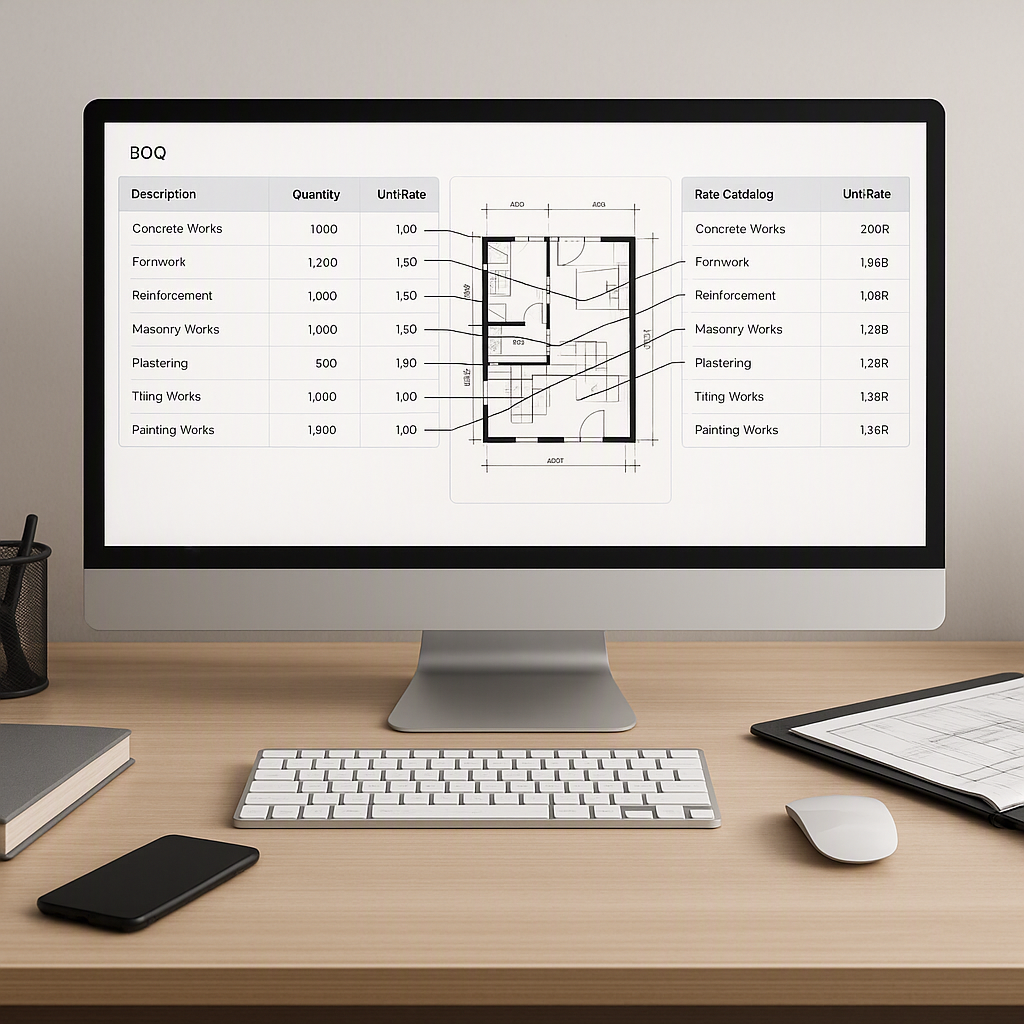
# Mastering the BOQ Creation Process: Faster, Smarter, and Error-Free

I used to think creating a Bill of Quantities (BOQ) was just part of the job. A necessary evil. Hours of manually entering numbers into Excel, hunting for the right rates in outdated PDFs, and double-checking formulas to avoid mistakes that could cost millions. It was tedious, but that’s just how it worked, right? There were no shortcuts.

Turns out, I was dead wrong.

---

## The Wake-Up Call: There’s a Better Way

The thing that changed my perspective? A simple demo of an AI-powered BOQ tool. It was late 2022, and I was helping a mid-sized contractor on a ₹40 crore commercial project. We were behind schedule, and the estimating team was drowning. Two of their estimators had spent days trying to extract quantities from a set of messy architectural drawings. That’s when a colleague suggested we try a tool called EstimateNext.

I was skeptical. New tools are often overhyped, and this sounded like yet another shiny object. But we were desperate. Within minutes of uploading the PDFs, the tool had parsed the drawings, extracted quantities, and matched them to preloaded SOR rates. What usually took two days was done in under an hour.

That was the moment I realized: BOQ creation isn’t inherently slow. It’s just the way we’ve been doing it that’s broken.

---

## Why Traditional BOQs Are a Nightmare

Before we dive into solutions, let’s be honest about what’s wrong with the current process. Most BOQs fail for three big reasons:

### 1. **Manual Takeoff**
If you’re still using Bluebeam or tracing lines on PDFs, you’re wasting 40+ hours per estimate. It’s mind-numbing work that’s prone to errors. Miss a wall length, and your quantities are off. Miss a window count, and you’re underestimating costs.

#### How to Spot This Issue:
- Your team spends days (or weeks) measuring drawings manually.
- Projects get delayed because takeoff isn’t complete.
- Estimators are constantly revising quantities due to errors.

#### Actionable Solution:
- Invest in digital takeoff tools that integrate with existing systems. These tools can measure lengths, areas, and counts directly from uploaded drawings, reducing errors and speeding up the process.
- Train your team to spot common takeoff pitfalls, such as overlapping areas or missed annotations.

### 2. **Rate Lookup Pain**
Flipping through a 2,000-page CPWD DSR or RSMeans book to find rates is like searching for a needle in a haystack. Even if you find the right rate, applying inflation or adjusting for local conditions is another headache.

#### How to Spot This Issue:
- Estimators frequently complain about unclear or missing rate data.
- Rates used in your BOQs are outdated or inconsistent across projects.

#### Actionable Solution:
- Digitize your rate books and create a searchable database that includes inflation rates and regional adjustments.
- Use tools like EstimateNext to automate rate matching and ensure consistency across projects.

### 3. **Version Chaos**
BOQs are living documents. Clients request changes, rates shift, and new specifications are added mid-project. In Excel, a single change can break your entire sheet. And good luck tracking who changed what.

#### How to Spot This Issue:
- Multiple versions of a BOQ are saved under names like "BOQ_v5_final_FINAL.xlsx."
- You’ve experienced errors or missed updates due to untracked changes.

#### Actionable Solution:
- Use cloud-based platforms that track changes and maintain a single source of truth for your BOQs.
- Implement a workflow for version control, including timestamps, user tracking, and automated backups.

These problems aren’t just annoying; they’re expensive. A missed rate or quantity can throw off your entire bid, leading to either lost opportunities or razor-thin margins.

---

## The Old Belief: Why It Survived So Long

Why did this broken system persist for so long? Because it felt unavoidable. Excel was cheap, everyone knew how to use it, and there weren’t many viable alternatives. Plus, the construction industry isn’t exactly known for embracing change.

There’s also a psychological factor. Manual work feels like progress. When you see your team burning the midnight oil, you assume they’re being productive. But in reality, they’re just spinning their wheels.

---

## The New Approach: AI-Powered BOQ Creation

So, what’s the alternative? Tools like [EstimateNext](https://construction-erp.com/) are changing the game. They automate the most time-consuming parts of BOQ creation, allowing your team to focus on strategy instead of grunt work. Here’s how it works:

### 1. **Auto-Uploaded BOQ Parsing**
You upload your BOQ file—Excel, CSV, or even a PDF. The AI breaks it down into sections, quantities, and line items. No more starting from scratch every time.

### 2. **Rate Matching in Seconds**
Instead of flipping through rate books, the system matches line items to a preloaded rate catalog. It even factors in labor, materials, and equipment.

### 3. **Real-Time Updates**
Need to adjust a rate or add a new item? The system propagates changes across the entire BOQ instantly, with a full audit trail. No more version chaos.

### 4. **Built-In Intelligence**
The tool learns from your edits. If you adjust a rate or override a match, it remembers for next time. Over time, this reduces the effort required by 70% or more.

| **Feature**              | **Traditional BOQ Creation**   | **AI-Powered BOQ Creation** |
|--------------------------|--------------------------------|-----------------------------|
| Manual Takeoff           | Time-consuming and error-prone | Automated, accurate         |
| Rate Lookup              | Manual and tedious             | Instant and consistent      |
| Version Control          | Prone to errors, no tracking   | Real-time updates with logs |
| Learning Curve           | Low, but inefficient           | Moderate, but efficient     |

---

## Common BOQ Mistakes to Avoid

Even with the right tools, mistakes can still happen. Here are some common pitfalls to watch out for:

- **Overcomplicated Formats**: Too many tabs, nested formulas, or irrelevant line items can make your BOQ harder to use. Keep it simple and focused.
- **Outdated Rates**: Always verify rates before finalizing your BOQ. Inflation and market conditions can change quickly.
- **Ignoring Scope Changes**: Make sure your BOQ can adapt to scope changes without breaking. Linked formulas and real-time updates are key.
- **Lack of Transparency**: Your BOQ isn’t just for you; it’s for your client. Include detailed breakdowns and audit trails to build trust.

---

## Frequently Asked Questions (FAQ)

### 1. Can AI-powered tools handle complex projects like high-rise buildings?
Yes, most advanced tools are designed to handle complex projects by parsing detailed architectural drawings and applying pre-configured templates for high-rise or large-scale projects. However, human oversight is still essential for quality assurance.

### 2. Are AI tools expensive to implement?
Not necessarily. While some tools come with a high upfront cost, many offer subscription-based pricing models. Plus, the time and cost savings typically outweigh the initial investment.

### 3. What if my team isn’t tech-savvy?
Modern tools are designed with user-friendly interfaces. Most vendors also provide training and support to help teams get up to speed.

### 4. How do I ensure the rates in the tool are accurate?
You can periodically update your rate catalogs within the tool to account for inflation and regional adjustments. Some tools even integrate with external databases for live updates.

### 5. Do these tools work offline?
Many tools offer offline functionality, but it’s best to confirm with your vendor. Cloud-based tools, however, require an internet connection for real-time updates.

---

## Final Thoughts

Creating a BOQ doesn’t have to be a time-consuming, error-prone process. With the right tools and mindset, you can slash your effort by 70% or more, reduce errors, and focus on what really matters: winning profitable projects. If you’re still stuck in the old ways, maybe it’s time to rethink your approach.

If you're ready to leave manual BOQ creation behind, [EstimateNext](https://construction-erp.com/) can help. Get started for free today.
Learn more at JobNext.ai - Construction ERP
Put this into a real BOQ
Describe your project and get a complete, costed Bill of Quantities in about a minute — free to start.